

Ready to build better conversations?
Simple to set up. Easy to use. Powerful integrations.
Get free accessReady to build better conversations?
Simple to set up. Easy to use. Powerful integrations.
Get free accessSome of your team spends more time in the car than at a desk. Field sales reps driving between meetings. Account managers heading to a customer site. Support staff on the move. For all of them, a ringing phone behind the wheel is an awkward choice: ignore it and risk missing something that matters, or pick it up and take your attention off the road.
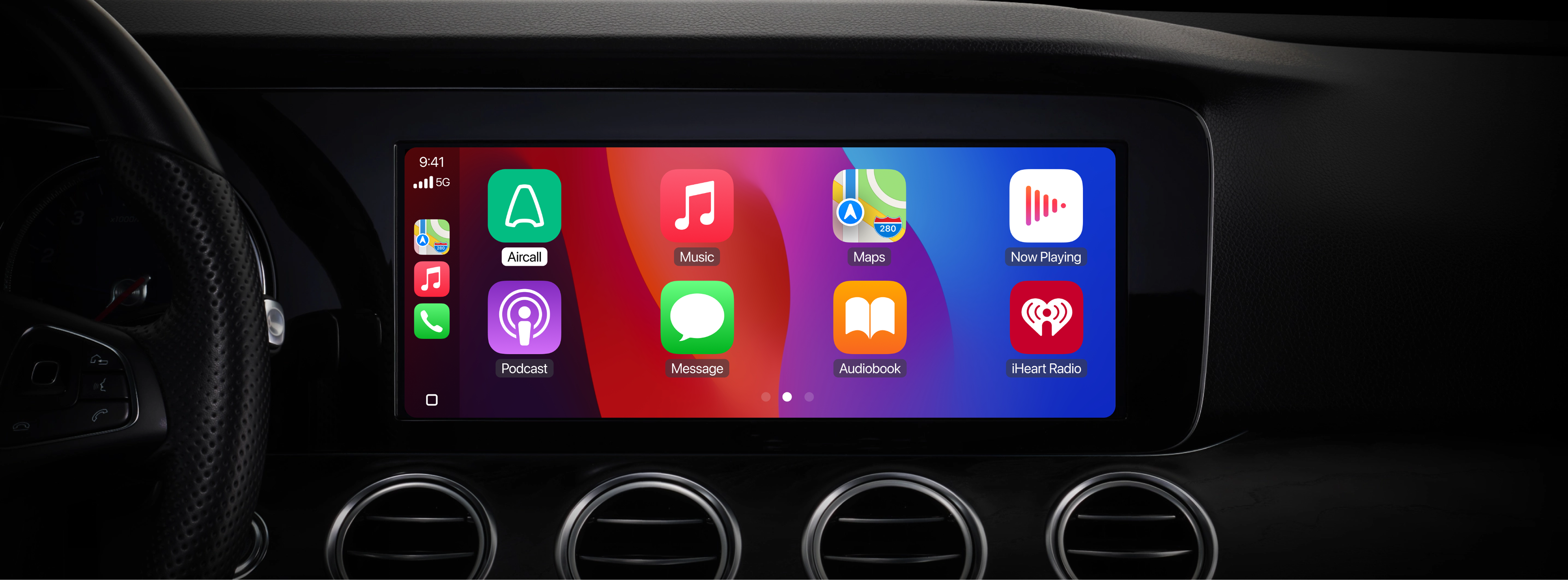
Now there's no need to choose. We built Aircall for Apple CarPlay so you can do it all, safely. Your work calls now appear on your car's built-in display, and you handle them hands-free: answer, decline, or call someone back with a single tap or your steering-wheel controls, eyes where they belong.
Made for the way people actually work
So much of your business still happens by phone, and a lot of it happens away from a desk. Until now, taking a call in the car usually meant reaching for your phone or letting it ring out and calling back later. Neither is a good answer: one isn't safe, the other costs you the moment. Putting Aircall inside the car's native driving interface keeps your team reachable on their work number without compromising safety to do it.
Aircall on CarPlay
On CarPlay, the Aircall app appears right on your car's screen, organized into two simple tabs:
Calls: your most recent calls, with missed ones clearly flagged, so you can ring someone back with one tap.
Contacts: your recent contacts, ready to dial without searching or scrolling.
When a call comes in, it shows up on the display whether or not you're already in the app, and you answer or decline using the on-screen buttons or your steering wheel. Miss one, and a notification takes you straight to your recent calls so following up is quick and easy.
Every call still lands in Aircall
Whether a call happens in the car or at your desk, it's logged in Aircall the same way: full call details, the recording, and the conversation history attached to the right contact. Nothing slips through the cracks, managers keep their visibility, and the customer record stays complete. A call taken from the driver's seat looks exactly like one taken from the office, because to your business, it is.
Getting started
Aircall on CarPlay is part of the Aircall mobile app and available to every customer at no extra cost. To use it, you'll need:
An iPhone on iOS 17 or later
A CarPlay-compatible vehicle or head unit
An active Aircall account with at least one phone number assigned
Connect your phone to your car (wired or wireless), open Aircall once on your device, and you're ready to hit the road.
The road doesn't have to be downtime, and it definitely shouldn't be a safety risk. With Aircall on CarPlay, your team keeps moving and keeps talking to customers: hands on the wheel, eyes on the road!
Update to the latest version of the Aircall mobile app to get started.
Published on July 7, 2026.
